
How Do You Change the Battery in a Key Fob?
To change the battery in a key fob, follow your vehicle manual to open the battery compartment, match the replacement battery and its orientation, and close the cover. If the cover resists, call (771) 240-1484 for key fob battery replacement.
Need help now? (771) 240-1484
Which Key Fob Symptoms Point to a Weak Battery?
- The working range gets shorter — A fob that works only closer to the vehicle can have a weak battery. Compare its behavior in another location before replacing anything, because nearby interference can also reduce range.
- The vehicle displays a battery warning — A warning that specifically names the key battery gives you a reason to check the replacement instructions. Read the full message so you do not confuse it with a vehicle battery warning.
- Several buttons respond inconsistently — Intermittent operation across several buttons can point to a battery or contact problem. If only one button fails while the others work normally, the button itself deserves attention.
- The fob stopped after damage — Failure immediately after a drop or liquid exposure calls for more than a battery swap. Check for a cracked case, moisture or loose internal pieces before continuing.
Should You Change the Key Fob Battery Yourself?
Replaceable battery with clear instructions
An owner-level replacement fits a fob whose vehicle manual identifies a removable battery and explains access. Continue only when you can follow that procedure without forcing the cover.
Sealed or rechargeable fob
A sealed case or rechargeable design needs its own manufacturer instructions. Do not apply a removable-battery procedure simply because the fob looks similar to another one.
Cracked case or damaged battery compartment
Professional help fits a fob with broken retaining clips, damaged contacts or a cover that will not release as described. Replacing the battery alone does not repair those physical faults.
Which Replacement Battery Does Your Key Fob Take?
Find the key fob battery specification in your vehicle owner’s manual before buying a replacement. Fobs with similar cases can use different batteries, so appearance alone does not establish compatibility.
Match the specified battery type, voltage and dimensions. Once the compartment is open, compare the installed battery with the manual; an earlier replacement could have been incorrect.
Also check the orientation diagram inside the compartment or in the manual. The positive side does not face the same direction in every fob, and a battery installed backward can leave the remote unresponsive.
Need help now? (771) 240-1484
What Should You Set Up Before Opening the Key Fob?
Work on a clean, dry surface where the battery, cover and any removable mechanical key cannot roll away. Keep another working key accessible outside the vehicle, and avoid leaving your only key inside while testing.
Keep new and used button batteries away from children and pets. Set the replacement aside until the compartment is ready, and keep loose batteries away from metal objects.
Read the complete opening procedure first. Some fobs have a separate battery cover; others require a specific sequence to release part of the case.
How to Change the Battery in a Key Fob Without Forcing the Case
- Confirm that the battery is replaceable — Locate the battery replacement instructions for your vehicle’s fob. Check that the pictured case and battery compartment match yours before opening it.
- Follow the stated access sequence — Remove the mechanical key only if the instructions require it, then locate the specified cover release. Check that you are opening the battery compartment rather than separating an unrelated part of the case.
- Release the cover gently — Open the cover using the method shown in the manual. Stop if the case bends, the edge begins to crack or the cover stays firmly attached.
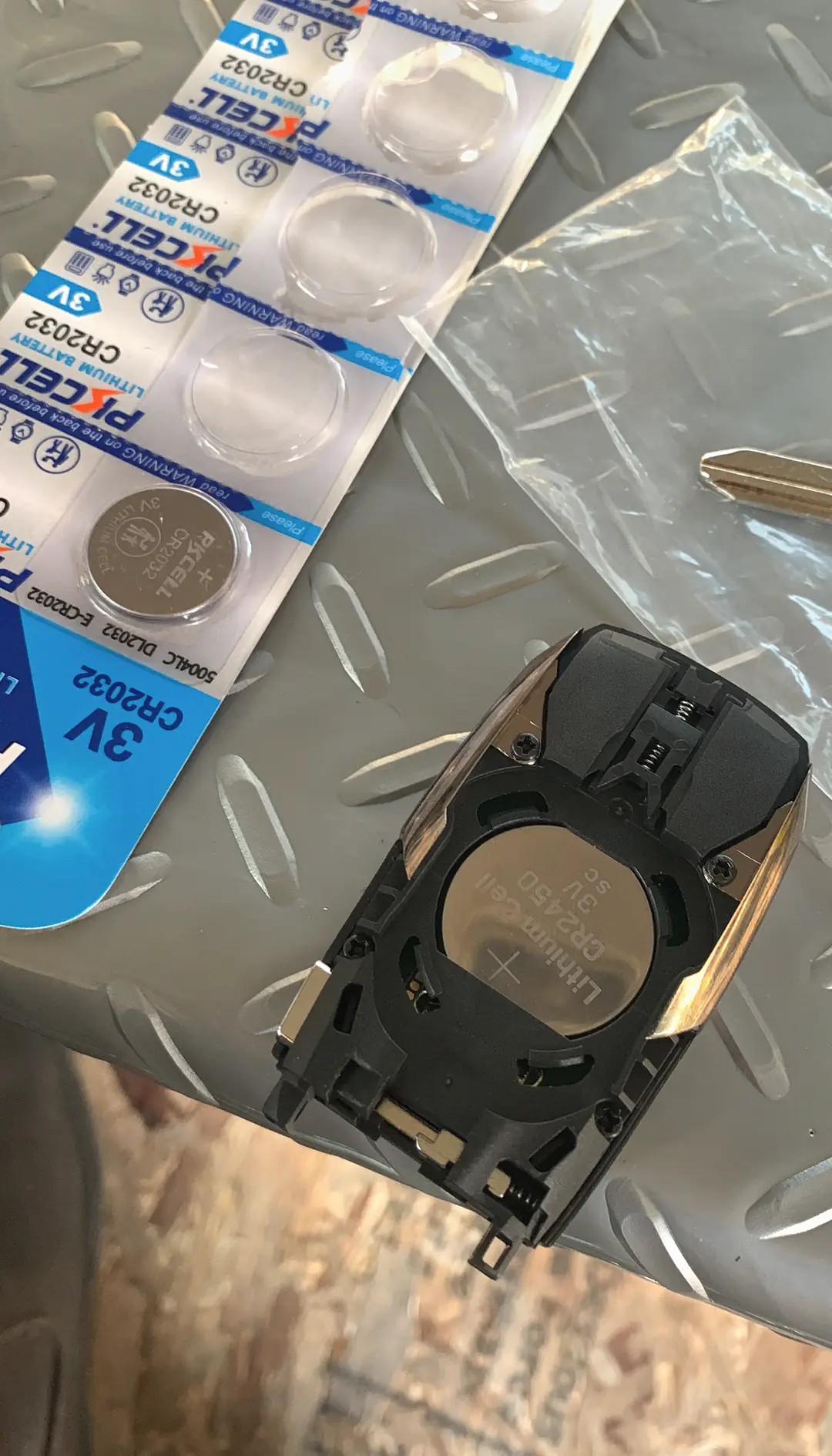
- Record the battery position — Before removing the battery, note which side faces outward and how its edges sit beneath the retainers. A photo can preserve that position; compare it with the compartment’s orientation marking.
- Remove the old battery — Follow the removal direction in the manual without bending the contacts or disturbing the circuit board. Check the compartment for moisture, corrosion or broken pieces before inserting anything.
- Seat the replacement battery — Insert the specified replacement in the marked orientation. Check that it sits flat in its intended position and that no contact or retaining piece has been pushed aside.
- Refit the cover — Align the cover and close it as instructed, keeping any rubber button pad or seal in place. Check for an even seam and buttons that move normally; do not squeeze a misaligned case shut.
- Test the assembled fob — With the fob outside the vehicle, test lock and unlock separately, then check normal vehicle recognition. Confirm each result before treating the battery change as complete.
Why Does the Key Fob Still Fail After a Battery Change?
- No buttons respond — Recheck battery compatibility, orientation and seating against the manual. A new battery can also be depleted, so its being newly purchased does not prove it has usable power.
- A button feels stuck after reassembly — The cover or rubber button pad may be out of position. Reopen the compartment only through the approved procedure and check alignment before pressing the case together again.
- The spare works but this fob does not — That comparison points attention toward the affected fob. Check for damage or poor battery contact instead of repeatedly replacing batteries without a new finding.
- Both fobs fail in one location — Try normal operation in another location when you can safely move the vehicle. A shared failure can involve interference or a vehicle-side issue rather than two depleted fob batteries.
Need help now? (771) 240-1484
When Should a Locksmith Handle Your Key Fob Battery?
Stop opening the fob if you find corrosion, liquid, a damaged battery, loose contacts or a cracked circuit board. Avoid scraping deposits or bending contacts to make the battery fit; those changes can create another fault.
Use our key fob battery replacement service when the cover is stuck, the battery specification is unclear or the fob still fails after the checks above. We come to you, so you do not need to travel with an unreliable remote.
Will a Key Fob Battery Fix a Key That Will Not Turn?
A replacement fob battery addresses the remote’s battery power; it does not repair a bent mechanical key or a binding ignition cylinder. Treat a key that physically will not turn as a separate symptom, and avoid forcing it.
Read why your key will not turn in the ignition for that problem. For a push-button vehicle that does not recognize the fob, follow the owner’s manual’s backup recognition procedure before concluding that the ignition needs repair.
Frequently asked questions
Does changing a key fob battery erase its programming?
A routine battery replacement generally preserves the fob’s programming. Check your vehicle manual for any synchronization steps, and recheck battery fit and orientation before treating a nonworking remote as a programming problem.
Can I use a different key fob battery if it fits?
Physical fit alone does not establish compatibility. Use the battery specification in your vehicle manual, because a different voltage or thickness can cause poor operation or prevent the cover from closing correctly.
Should I replace both key fob batteries at the same time?
Check each fob separately rather than assuming they have the same battery condition. A working spare also gives you a useful comparison when testing the fob whose battery you replaced.
Why does my key fob work only when I press a button hard?
A worn button or an internal contact problem can cause that behavior, especially when other buttons work normally. Repeated hard pressing can damage the case, so seek key fob repair if the correct replacement battery does not resolve it.
Get Help With a Stubborn Key Fob
Call (771) 240-1484 and tell us whether the cover is stuck or the fob still fails after a battery change.